Putting a life logging app in the LINKLET

from Set up Thinklet Putting a life logging app in the LINKLET
2025-03-05 FairyDevicesRD/thinklet.app.lifelog: THINKLET Lifelog App

Could not GET 'https://maven.pkg.github.com/FairyDevicesRD/thinklet.app.sdk/ai/fd/thinklet/sdk-audio/0.1.6/sdk-audio-0.1.6.pom'. Received status code 401 from server: Unauthorized
This error is caused by missing credentials when retrieving the library from GitHub Packages. Please follow the steps below to address this issue. Creating a GitHub Personal Access Token
- Create a new token on GitHub under "Settings" -> "Developer settings" -> "Personal access tokens".
- Be sure to grant "read:packages" permission when creating the file. Add authentication information to local.properties ...
That's the one in the README.

Please test on a compatible device. Check if it is recognized by using the adb devices command.
% adb devices
List of devices attached
emulator-5554 device
Oh, just because it's connected and has a red light doesn't mean it's activated, I see. Started up and went from light blue to green.
% adb devices
List of devices attached
P16M116D5252823 device
emulator-5554 device
OK
:
2025-03-07 13:58:51: Launching app on 'QUALCOMM THINKLET LC01'.
Starting: Intent { act=android.intent.action.MAIN cat=[android.intent.category.LAUNCHER] cmp=ai.fd.thinklet.app.lifelog/.MainActivity }

Open logcat panel for QUALCOMM THINKLET LC01 (P16M116D5252823)
Connected to process 3550 on device 'qualcomm-thinklet_lc01-P16M116D5252823'.
It's done.

Talk about not beamforming if you're going to pick up the conversation at a social gathering.
Nothing was saved at all. I need to set the permissions.


$ adb shell am start -n ai.fd.thinklet.app.lifelog/.MainActivity --ez enabledMic true
$ adb shell ls /sdcard/DCIM/lifelog/19740103/
19740103_045124.raw
19740103_045125.gif
- How to use MTP mode
- Connect the device to USB and switch to "File Transfer (MTP)" mode from the notification area.
- Access the device's internal storage with PC Explorer (for Windows) or Finder (for Mac) and copy the files in the DCIM/lifelog/ folder.
:
% adb shell ls /sdcard/DCIM/lifelog/19740103/
19740103_045124.raw
19740103_045125.gif
% adb pull /sdcard/DCIM/lifelog/ ~/Downloads
/sdcard/DCIM/lifelog/: 2 files pulled, 0 skipped. 27.3 MB/s (78614272 bytes in 2.748s)
$ ffmpeg -f s16le -ar 48000 -ac 2 -i ~/Downloads/lifelog/19740103/19740103_045124.raw output.wav
I'll have to try actually walking and talking with it on.
2025-03-08
- Test operation of [LINKLET
- I thought maybe I shouldn't muffle it, but surprisingly it's not a problem.
:
% adb shell ls /sdcard/DCIM/lifelog/19740104
19740104_005846.raw
% adb shell ls /sdcard/DCIM/lifelog/19740103
19740103_045124.raw
19740103_045125.gif
19740103_233158.raw
19740103_233159.gif
Hmm? Was this internally dated?
% adb pull /sdcard/DCIM/lifelog/ ~/Downloads
About 19 images were taken.
Maybe once every five minutes?
How many pictures are taken every minute? Check.
To summarize the survey results:
- default setting: once every 300 seconds (5 minutes)
- Definition at line 21 of file LifeLogArgs.kt
intervalSeconds = max(bundle?.get("intervalSeconds")?.toString()?.toIntOrNull() ?: 300, 10)
- minimum interval: 10 seconds
- Also in LifeLogArgs.kt, line 21, a minimum value of 10 seconds is set
- Configuration by configuration file:
keyConfigs/2592_1944_withMic.json: once every 120 seconds (2 minutes)keyConfigs/1440_1080.json: once every 30 seconds
Which setting is actually used depends on how the app is launched. If the app is launched using a configuration file, the interval in that configuration file is applied. If the app is launched without a configuration, the default of 300 seconds (5 minutes) is applied.
As for the audio, I'll have to take a picture tomorrow.
2025-03-09 :
% adb shell ls /sdcard/DCIM/lifelog/19740105/
19740105_033437.gif
19740105_033437.raw
19740105_050124.raw
19740105_062813.raw
19740105_075501.raw
19740105_092149.raw
19740105_104838.raw
That's a lot of audio files.
$ adb pull /sdcard/DCIM/lifelog/ ~/Downloads
$ ls -l ~/Downloads/lifelog/19740105
:
total 10122120
-rw-r--r--  1 nishio  staff    11603521  3  9 23:52 19740105_033437.gif
-rw-r--r--  1 nishio  staff  1000000512  3  9 23:51 19740105_033437.raw
-rw-r--r--  1 nishio  staff  1000000512  3  9 23:53 19740105_050124.raw
-rw-r--r--  1 nishio  staff  1000000512  3  9 23:54 19740105_062813.raw
-rw-r--r--  1 nishio  staff  1000000512  3  9 23:52 19740105_075501.raw
-rw-r--r--  1 nishio  staff  1000000512  3  9 23:52 19740105_092149.raw
-rw-r--r--  1 nishio  staff   130837248  3  9 23:53 19740105_104838.raw
I see, so the audio file is split at 1GB.
Raw files can be imported with Audacity or converted with ffmpeg
Let's observe in Audacity


- small proportion
- There are difficulties in transcribing words like "Noda Crystal" and "plurality," but I think it's worthwhile to be able to look back and say, "Yes, that's what we talked about!" but it's worthwhile to be able to look back on what we talked about, since I often talk too much at once at these meetings and my memory overflows!
- They should be able to dig into just the interesting stories and have them explained.

2025-03-10

- I'll think about it next time I do it.
bash
for f in ~/Downloads/lifelog/19740105/*.raw; do
  ffmpeg -f s16le -ar 48000 -ac 2 -i "$f" "${f%.raw}.wav"
done
https://app.devin.ai/sessions/02e8ade3a448425b9c6c178e0db0e236
2025-03-15
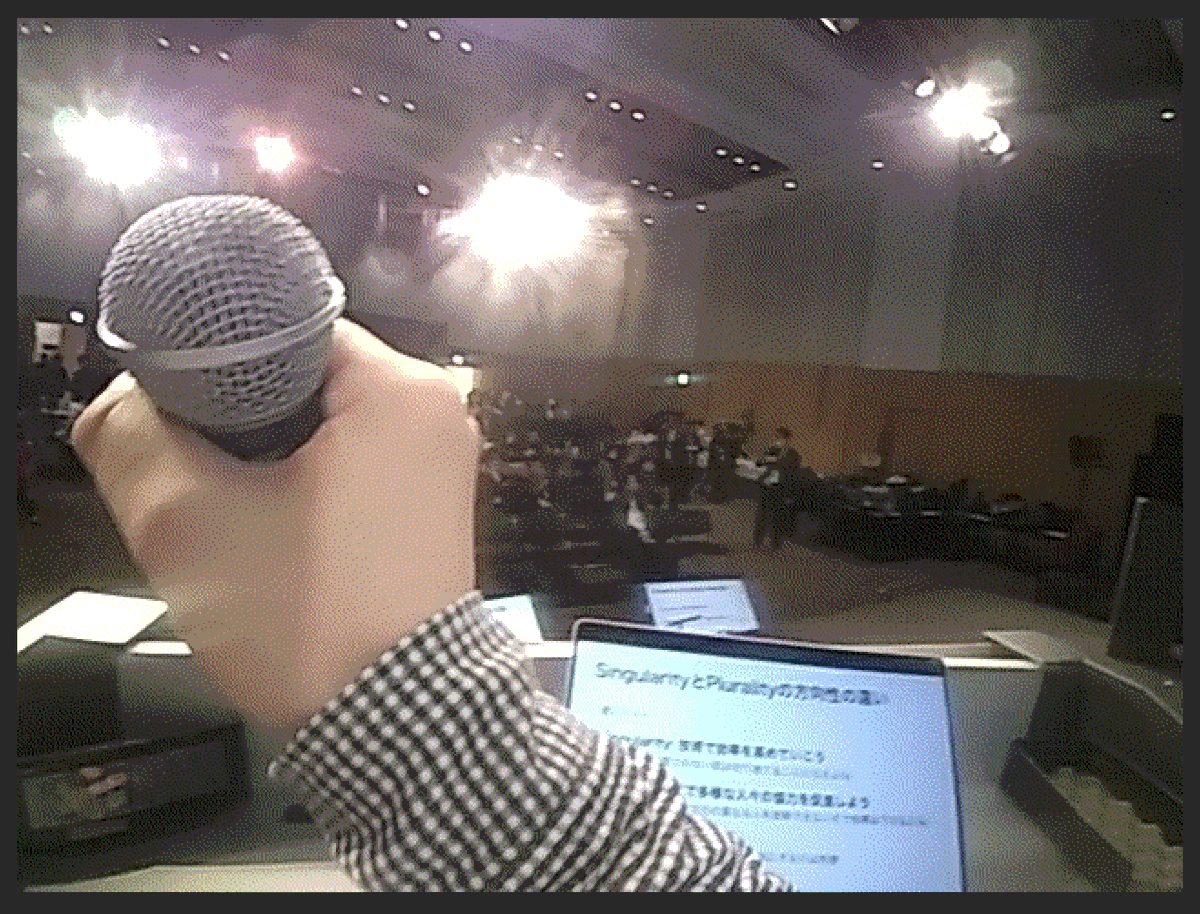
nishio I don't have any good pictures, but I was wearing LINKLET, a neck-mounted Android device loaned to me by FairyDevices, at the recent Unexplored Conference Unexplored Night. I left it on for 7.5 hours and it was working fine, capturing audio and images.

nishio Perspective of the person giving the talk
nishio Reception @ukkaripon @teramotodaiki
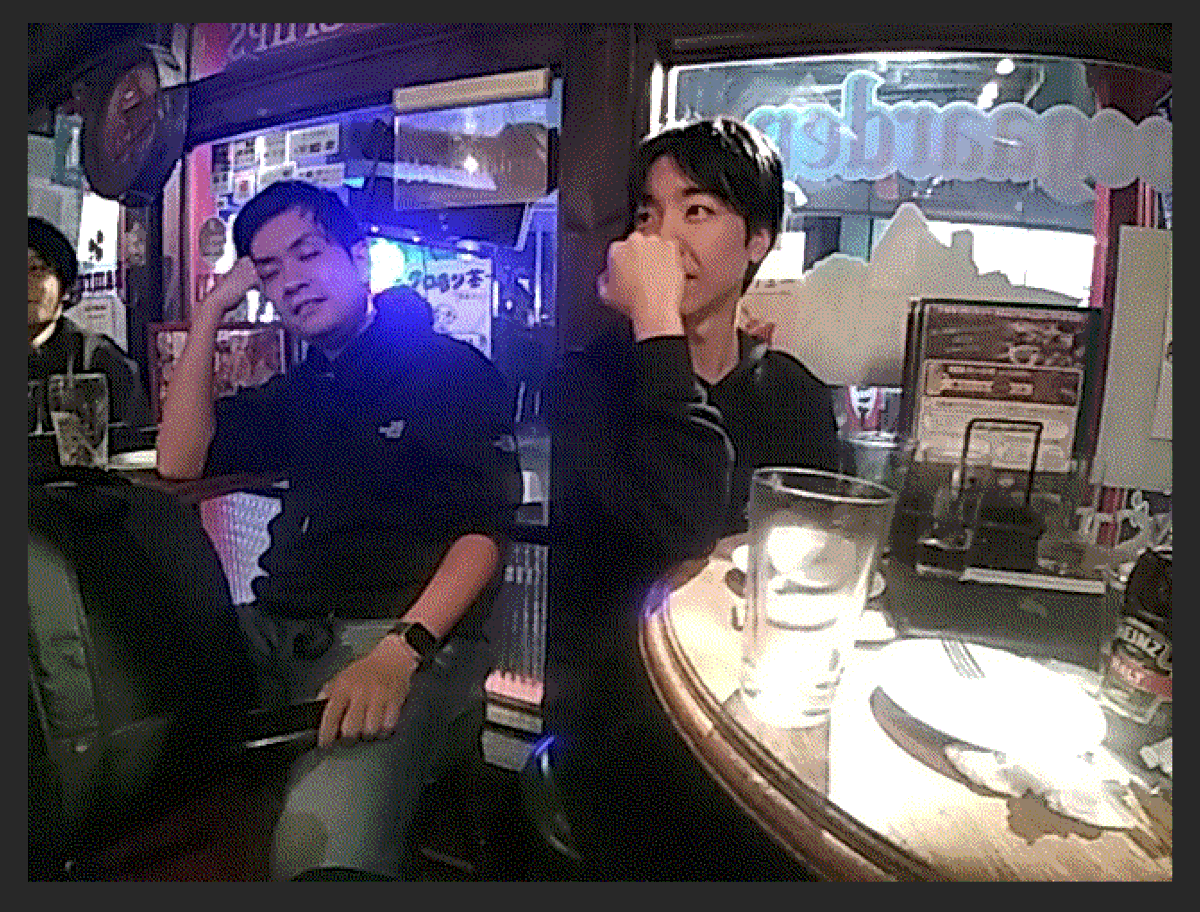
nishio It was an after-party, not a reception. I was glad to see many people at the reception, so I could say, "Oh yeah, I talked with Mr. Whatsapp. And unlike a simple lifelog camera, there are 5~6 microphones on the camera, so it's good that you can separate your voice from the other person's voice if you process it afterwards.
This page is auto-translated from /nishio/LINKLETにライフログアプリを入れる using DeepL. If you looks something interesting but the auto-translated English is not good enough to understand it, feel free to let me know at @nishio_en. I'm very happy to spread my thought to non-Japanese readers.